Production Job Tracker: Every job card in its stage. What is late, and why.
Job cards move from material to packing on one screen. A stuck job carries its reason, and machines show running or down. Your supervisor updates it from a phone, and sales gets the new date on WhatsApp.
- Demo on your own data before you pay
- Live in two weeks
- Fixed price, from ₹25,000
- Works on any phone
Sample data: Shree Ram Fabricators is an invented fabrication shop in Faridabad. No signup. Nothing is saved.
Press a number to see that part, or press the picture to open the working demo with sample data. Nothing is saved. Open it full screen · Set up for Manufacturers
How it runs today
- The customer calls to ask about an order, and somebody has to walk the floor to find the job card.
- You come to know a job is late on the day it was to be dispatched.
- A job sits for two days because material was short or a machine was down, and nobody told the office.
- Only the supervisor knows the real status. When the supervisor is on leave, nobody knows.
- Sales promises a date without knowing what is already waiting on the machines.
How work moves through it
- 1A job card is made once, with the customer, part, quantity and promised date
- 2The supervisor moves it stage by stage from the phone and enters the pieces done
- 3A stuck job is put on hold with a reason: material, machine, drawing or operator
- 4A machine breakdown is reported in one tap, and the job on that machine goes on hold
- 5Sales gets the new date on WhatsApp, and the owner gets one report in the evening
Every part, spelled out
Floor board
Every job card in its stage, from material issued to packed. Late jobs turn red. Search by customer, part or job card number.
Hold with a reason
A stuck job is put on hold with one of your own reasons: material short, machine breakdown, drawing change, operator absent.
Machine list
Each machine shows running, idle or breakdown, the job card on it and the hours lost today.
Pieces done
The supervisor enters the pieces done at each stage. You see how far a job is, not only where it is.
New date to sales
When a job will be late, the salesperson gets the new date and the reason on WhatsApp, in time to tell the customer.
Day report
One message to the owner: pieces made, jobs that are late, jobs on hold with the reason, and machines that stood idle.
Made for businesses like yours
Job shops and fabricators
Sheet metal, machining and fabrication units where many small jobs for different customers are on the floor at the same time.
Small manufacturers with stages
Where every order passes through cutting, machining, assembly, QC and packing, and the status lives with the supervisor.
Owners who walk the floor to know the status
Who want to see late and stuck jobs from the office or from home, without calling the supervisor.
What you get, and when
- Your own stages, machines, hold reasons and people set up
- Open job cards loaded from your register, Excel or copies of the job cards
- Floor board, machine list, late and on hold list, and the day report
- WhatsApp messages in your wording: new date to sales, breakdown to the maintenance person
- Logins for supervisors, sales and the owner, with training on the floor
- One month of care after go-live, with fixes and small changes
Where jobs get stuck today
A job card is made, material is issued and the job goes to the floor. From then on its status lives with the supervisor. The office learns that a job is late when the customer calls, or on the day it was to be dispatched. The reason is usually small: a few sheets short, a machine down for a day, an operator on leave, a drawing that changed. Nobody hid it. There was just no place where a stuck job shows up by itself.
What changes with the tracker
- Every job card sits in its stage on one screen, with the promised date on it.
- A stuck job is put on hold with a reason, so "why is it late" has an answer.
- A machine breakdown is reported in one tap. The job on that machine goes on hold by itself.
- The supervisor enters the pieces done, so you see how far a job is, not only where it is.
- Sales gets the new date in time to tell the customer.
- The owner reads one report in the evening instead of walking the floor.
What it does not do
It is not MRP or production planning software. It does not calculate material needs, plan machine loading or work out costing. It is also not accounting: GST invoices, e-way bills and the stock ledger stay in Tally or Busy, and this works beside them. And it does not chase your supervisors for you. They update the job cards, and the system shows what is late.
What we need from you
- Your stages, machines and the usual reasons a job gets stuck
- The open job cards of this month, from your register, Excel or photos
- The names of your supervisors and salespeople
- One person who will make the new job cards every day
- An hour for the demo and an hour for training on the floor
One fixed price to set up. A small fee to keep it running.
No per-user charge. You see a demo on your own data before you pay anything.
Starter system
One process, set up for you and live in two weeks.
- A working demo on your own data before you pay
- Scope and price on one page
- Your current data loaded and your staff trained
- First month of care included
Care plan
Keeps the system running. Starts from the second month.
- Backups and uptime watched
- Faults fixed
- Two small changes a month
- Reply by the next working day
System Partner plan
For when your daily work runs on the system.
- Up to 8 hours a month of new reports, automations and changes
- A weekly report to the owner
- A monthly review call
- Training for new staff
How the plans work
- Half the setup price to start, the rest before go-live.
- The monthly fee is paid at the start of the month.
- Hours are written down. Unused hours do not carry over.
- First term is three months, then 30 days notice either way.
- Extra work is quoted before it starts.
What is not included
- Daily follow-up with your staff. One person on your team does that, and we train them.
- New modules and new integrations. Each gets its own quote.
- Cleaning old data beyond the first import.
- WhatsApp tool charges. You pay the tool directly, about ₹500 to ₹2,800 a month plus message charges.
Add-ons
Each has its own quote.
- A first reply to every WhatsApp enquiry within a minute, then follow-up for seven days
- Payment reminders sent from your own sheet on the days you choose
- Bills read into your sheet or Tally, checked by a person before saving
Before you ask
Is this production planning or MRP software?+−
No. It does not plan machine loading, calculate material needs or work out costing. It shows where every job card is, what is late and why. In many small units that is the part that is missing.
Do we have to stop using Tally or Busy?+−
No. Accounts, GST invoices and e-way bills stay in Tally or Busy. This tracks the job on the shop floor, from material issue to packing.
Who updates the job cards?+−
Your supervisors, from a phone. Moving a job to the next stage is one tap, and entering the pieces done takes a few seconds. We train them on the floor.
Our stages are different for every product. Will it fit?+−
That is why you first see a demo with your own stages, machines and a few real job cards. Stages and hold reasons are set to match how your floor works.
How long does it take to start?+−
About two weeks for one process, including loading your current data and training your staff. You first see a demo on your own data, before you pay anything.
What does WhatsApp cost?+−
Messages that go out by themselves use a WhatsApp Business tool that you pay for directly, about ₹500 to ₹2,800 a month plus a small charge per message. We set it up on your own number. Tap-to-send messages from your phone cost nothing extra.
Is it charged per user?+−
No. The setup has one fixed price and the monthly plan is flat. Add as many staff as you have.
Where is our data kept?+−
Your quote explains the two options: on a server we run for you, or on your own server. Either way the data is yours and you can export it at any time.
The practical bits
Often set up next

Order & Payment Tracker
See which order is stuck, what goes out today and who owes you money, on one screen. Payment reminders go out on WhatsApp.
Purchase & Vendor Follow-up
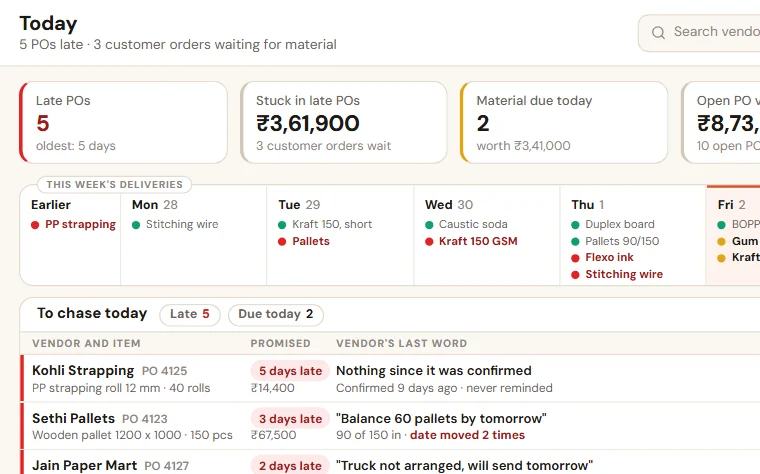
See which material is late, which vendor has moved the date and which customer order is waiting for it. Reminders go to vendors on WhatsApp.
Stock Register
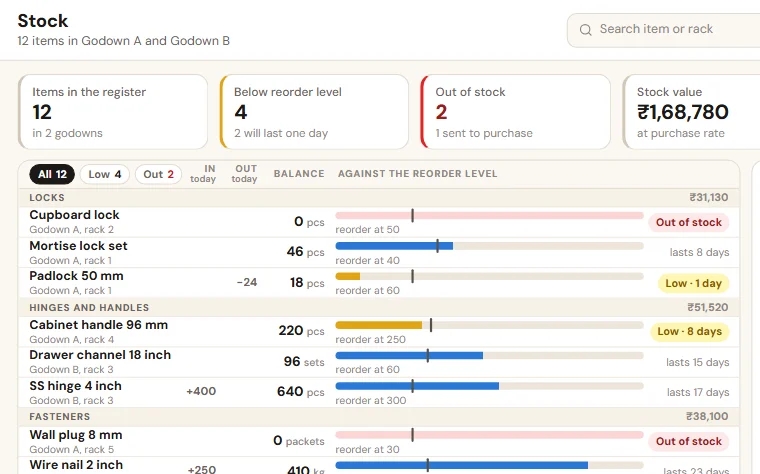
Receive and issue stock from the phone, see what is low or finished, send the reorder list to purchase and correct stock after a physical count.
See Production Job Tracker on your own data
Share last month of your data. We come back with a working demo, then a fixed price on one page.